
Chapter 01

Getting started and workspace layout

Start from the Smart Construction portal, enter the structured generation platform, and read the main workspace as a set of coordinated panels.

Previous Next

Open the platform from the homepage

The homepage introduces three research platforms in the Smart construction group. The structured generation platform is active; the other two entries are reserved for future tools.

  • Structured Generation of Construction Planning Data. Opens the current web application.
  • Reinforcement Learning Decision Support for Construction Planning. Reserved for the future planning decision-support platform.
  • Building Material Selection Optimisation. Reserved for the future material-selection platform.

Click Open platform in the first module to enter the main application.
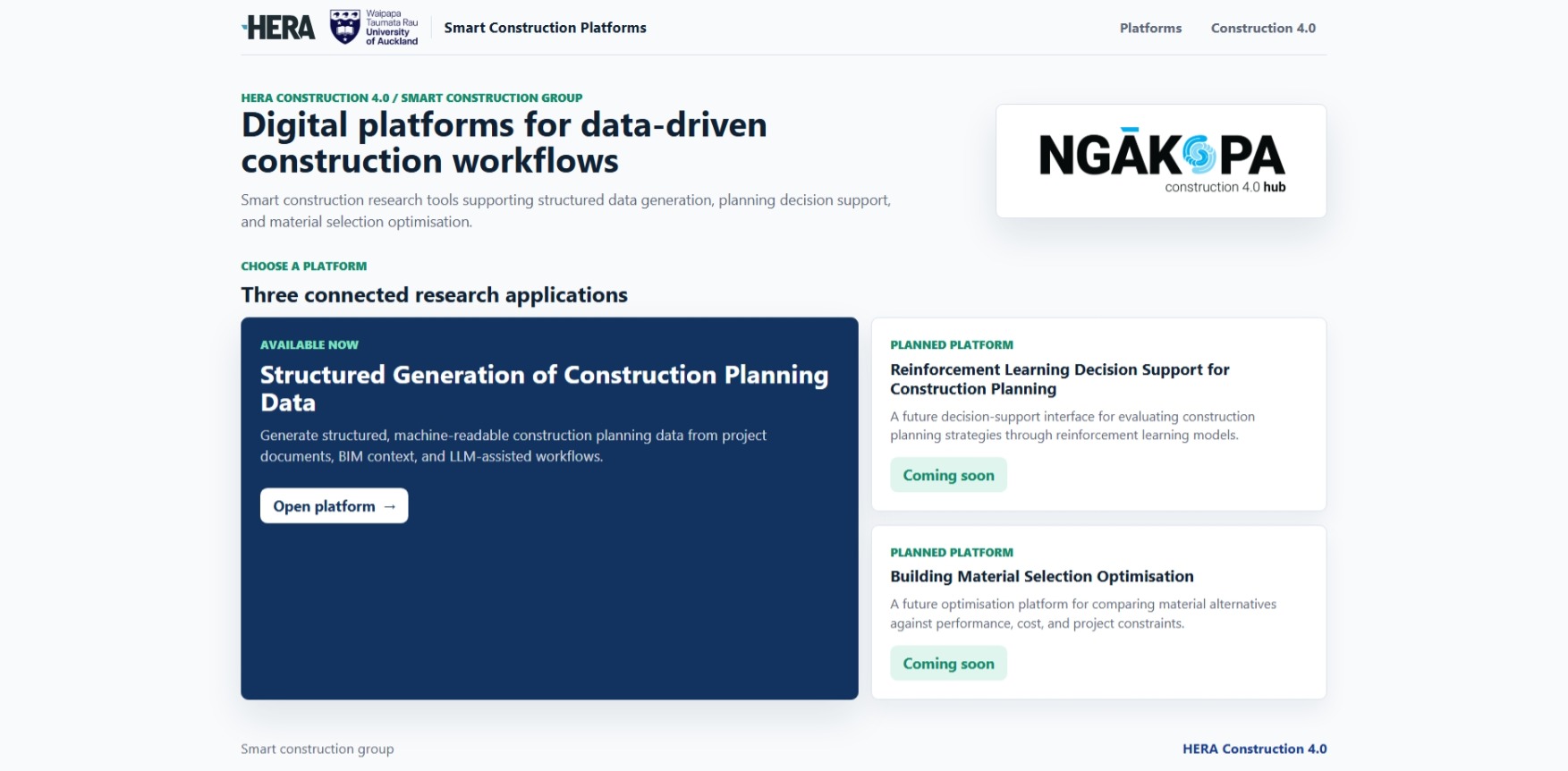
Homepage with three Smart Construction platform entries

Read the workspace layout

The application workspace is divided into five main regions. Learn these regions first because the rest of the workflow moves information between them.
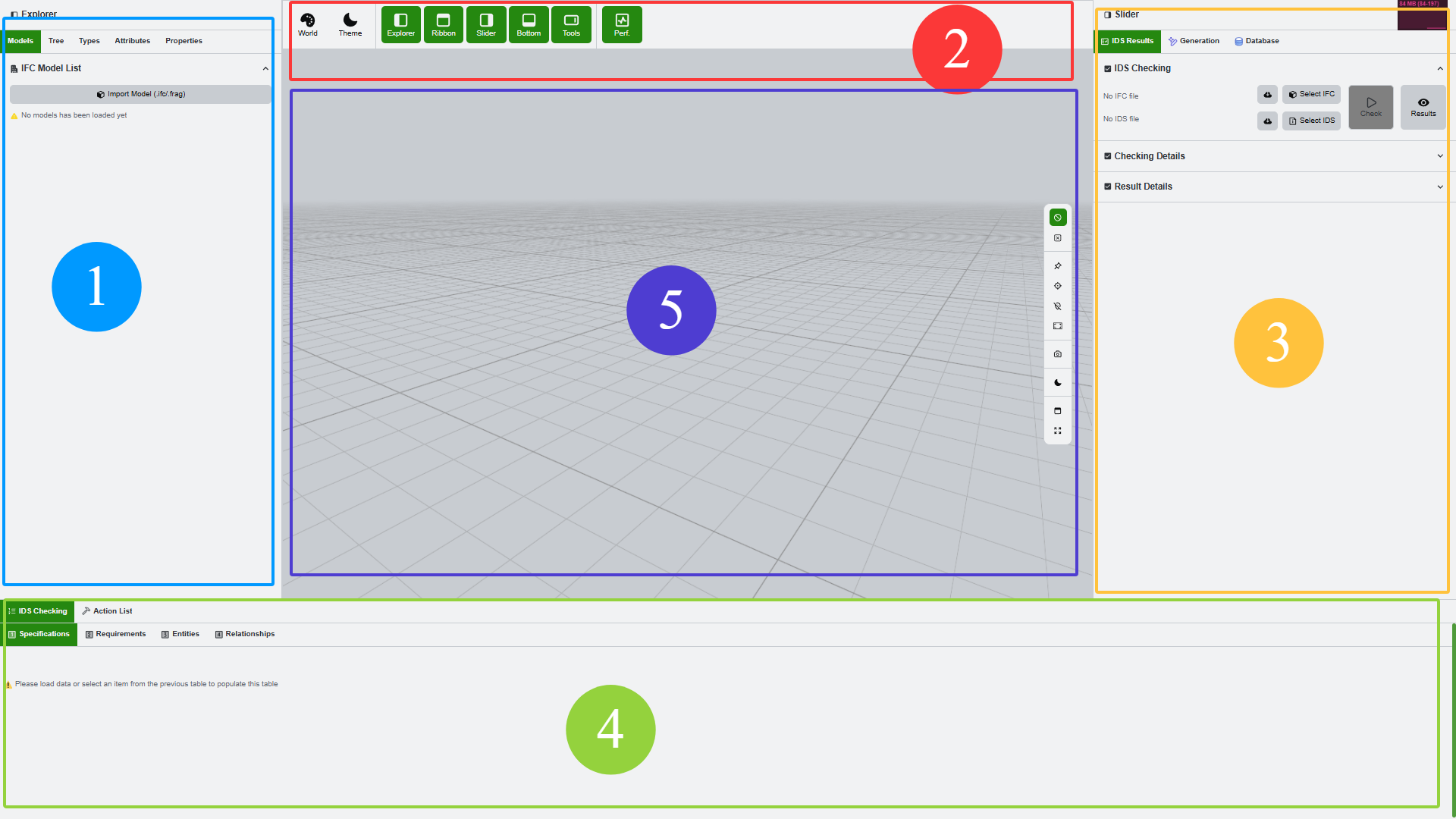
Application workspace annotated with side panels, toolbar, viewport, and bottom panel

  • Left panel. File loading, IDS checking, generation files, database tables, and model exploration live here depending on the selected tab.
  • Top toolbar. Global viewport and tool buttons are placed above the 3D scene.
  • Right panel. Property tables and selected-object information are shown here.
  • Bottom panel. IDS checking details, action lists, generated commands, and result details are displayed here.
  • 3D viewport. The model is inspected, selected, highlighted, and visually checked in the centre.
Previous Next